

1. Create API Credentials scoped to Testnet
Create an application on the Settings page in the Dashboard.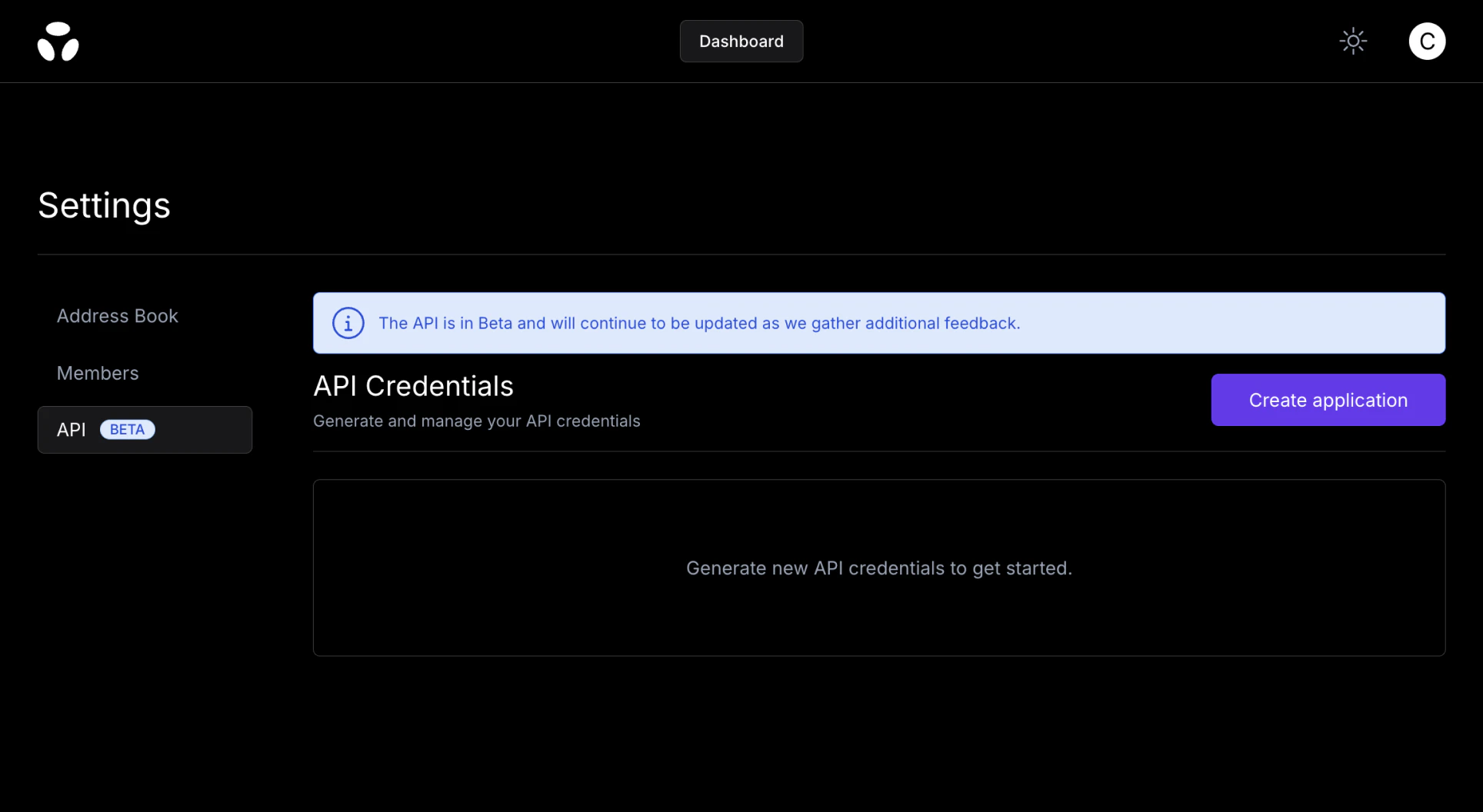
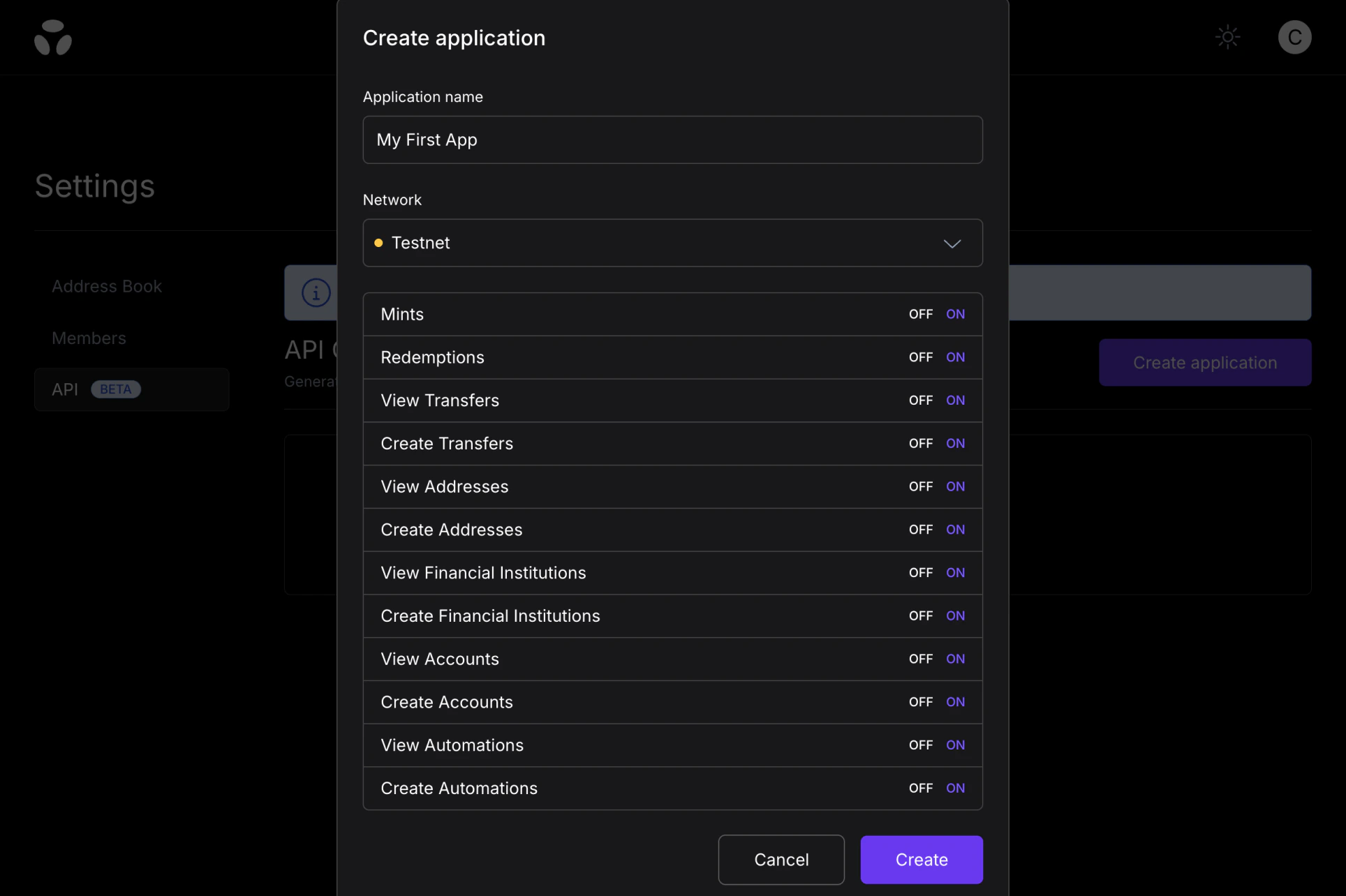
Testnet as Network and enable all resources.
2. Mint Tokens on Testnets
When you submit a mint on testnet, we skip the fiat leg and immediately mint on-chain. This simulates an onramp transaction and acts as a faucet to mint tokens for other flows (payouts, etc.). POSThttps://api.brale.xyz/accounts/account_id/transfers
Request
3. Burn Tokens on Testnets
When you submit a redemption on testnet, we immediately burn on-chain and skip the fiat payout. This simulates an offramp transaction. No real wire, ACH, RTP, or FedNow payment is sent from testnet. POSThttps://api.brale.xyz/accounts/account_id/transfers
Request
4. Simulate a deposit into a testnet Automation
Testnet Automations return placeholder banking coordinates that cannot receive real deposits. To test the full Automation flow, simulate an inbound ACH, wire, or FedNow deposit. Brale runs the normal Automation, Transfer, and testnet mint flow and emits the normalpayment.completed webhook event.
Your testnet API credentials need the automations:write and network:testnet scopes.
Create an Automation with a testnet destination
"status": "active".
Simulate the deposit
202 Accepted with the resulting Transfer, including automation_id. transfer_type accepts ach, wire, or fednow. A fednow simulation produces a Transfer with source.transfer_type: "fednow_credit". See Receive FedNow deposits.
Fetch the Transfer
status is complete, destination.transaction_id holds the testnet mint transaction. See Simulate an Automation deposit for validation errors and idempotency behavior.